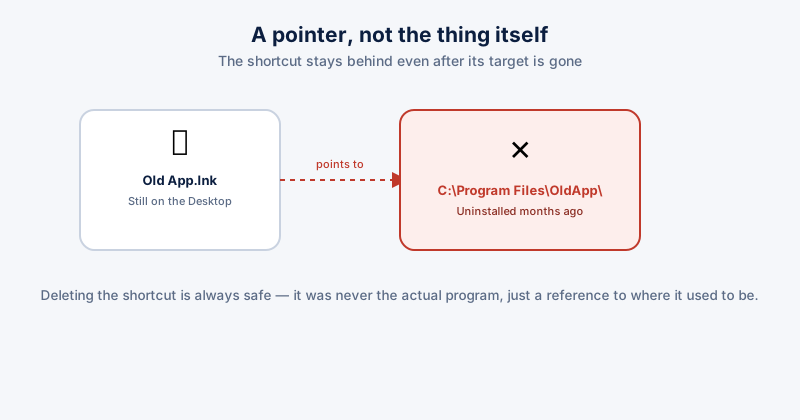
A shortcut is a small file that points at another file's location — it isn't the program itself, just a reference to where it used to be. Uninstall the program, move it, or reinstall it somewhere new, and the shortcut left behind still exists, still shows the same icon, and now points at nothing. Clicking it produces an error instead of opening anything.
Why they pile up
- Uninstalling software that leaves its Desktop or Start Menu shortcut behind rather than removing it cleanly as part of the uninstall
- Reinstalling to a different folder than the original install — the old shortcut still points at the now-empty original path
- Moving files manually — dragging a document or app to a new folder without updating a shortcut that was pointing at the old location
- Uninstalling via a method that skips proper cleanup — deleting a program's folder directly instead of running its actual uninstaller
Finding and fixing them
- On the Desktop, broken shortcuts often show a small warning overlay on the icon, though not always — the more reliable test is simply clicking one and seeing whether it errors
- For a shortcut to a file that moved (rather than one that's gone entirely), right-click it, choose Properties, and check the Target field — if you know where the file actually is now, you can update the path directly there instead of recreating the shortcut from scratch
- For a shortcut to software that's genuinely uninstalled, delete the shortcut itself — there's nothing to repair
- Check the Start Menu too, not just the Desktop — Start Menu tiles and the All Apps list accumulate the same kind of broken entries, just less visibly
Deleting a shortcut never deletes the actual program or file it pointed to (or used to point to) — a shortcut is just a reference, not the real thing. It's always safe to remove one you don't need, whether or not its target still exists.
Why this is worth doing beyond tidiness
Broken shortcuts don't slow down your PC in any measurable way — this is purely about a Desktop and Start Menu that are actually usable for finding things quickly, rather than cluttered with dead entries that error the moment you click them. A Desktop with a dozen genuinely broken shortcuts scattered among the working ones makes the working ones harder to find too.
ETA System Doctor's Shortcut Fixer scans your Desktop and Start Menu for shortcuts pointing at files that no longer exist and clears them in one pass, rather than testing each one individually by hand.