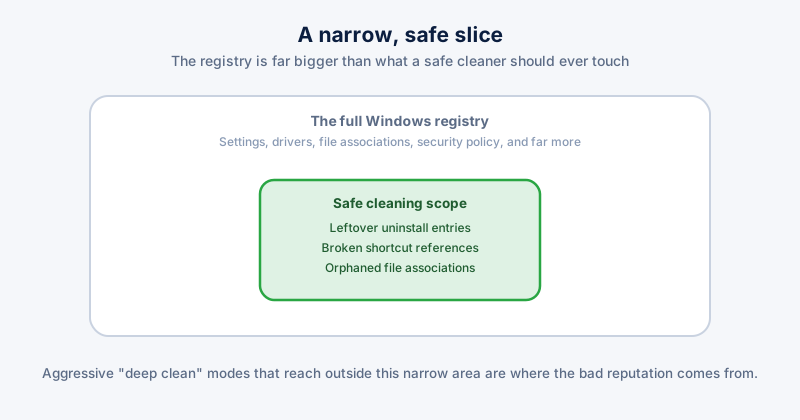
The registry is Windows' central configuration database — settings, installed-software records, file associations, and a great deal more, all stored in one place the operating system reads constantly. "Registry cleaner" software has a reputation problem earned honestly: a lot of it, especially from the mid-2000s era of aggressive PC "optimizer" bundles, overpromised on speed gains and occasionally broke things by editing entries it shouldn't have touched.
What a registry cleaner actually finds
The realistic, safe scope is narrow: leftover entries from software you uninstalled that didn't clean up fully after itself, broken references to Start Menu or Desktop shortcuts pointing at files that no longer exist, and orphaned file-association entries for programs you no longer have installed. None of this is invisible clutter that's secretly slowing your PC down day to day — it's mostly just accumulated debris that doesn't get used by anything anymore.
The honest answer on speed
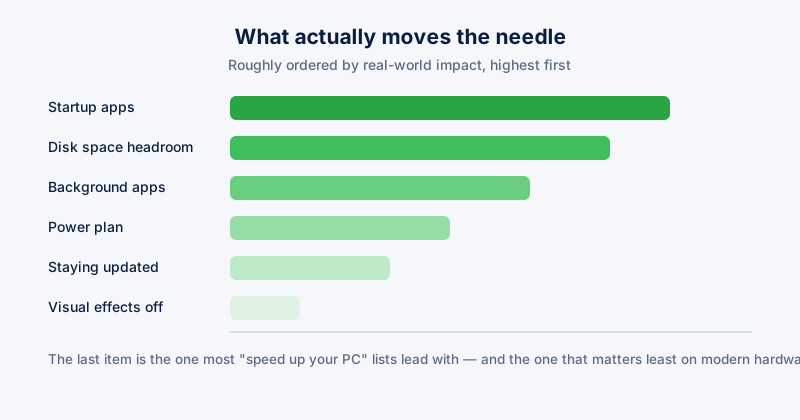
On modern versions of Windows, registry size has a genuinely marginal effect on performance — the registry is not a bottleneck the way a nearly-full SSD or too many startup apps actually are. Cleaning it can fix specific, narrow symptoms (a broken shortcut that errors when clicked, a leftover uninstall entry cluttering the software list) without translating into a noticeably faster PC overall. Software that promises a dramatic speed boost from registry cleaning alone is overselling what the registry actually controls.
When it's genuinely risky
- Aggressive, automated "deep clean" modes that remove entries based on broad pattern-matching rather than confirmed-safe, narrow categories — these are the ones historically responsible for breaking installed software or, in bad cases, Windows itself
- No backup before making changes — any registry cleaner worth using creates a restore point or an exportable backup automatically before touching anything, so a bad edit can be undone
- Editing the registry manually based on generic internet advice, without understanding what a specific key controls — this carries far more risk than any reputable cleaner tool, and is the actual source of most "I broke my PC editing the registry" stories
If you do use a registry cleaner, confirm it creates a system restore point automatically before cleaning, and never run one you don't recognize or trust — this is exactly the category of software bundled adware historically rode along with.
The realistic verdict
A registry cleaner limited to genuinely safe, narrow categories — with an automatic backup — is low-risk and occasionally useful for the specific symptoms it targets, but it is not a meaningful speed fix on its own. If the actual goal is a faster PC, startup apps and free disk space do far more; if the goal is fixing one specific broken shortcut or leftover uninstall entry, a cautious registry cleaner is a reasonable, low-stakes tool for exactly that.
ETA System Doctor's Registry Cleaner is scoped to the safe categories described above — broken shortcuts and leftovers from uninstalled software — and creates a restore point automatically before making any change, so a cleanup can always be undone if something unexpected happens.