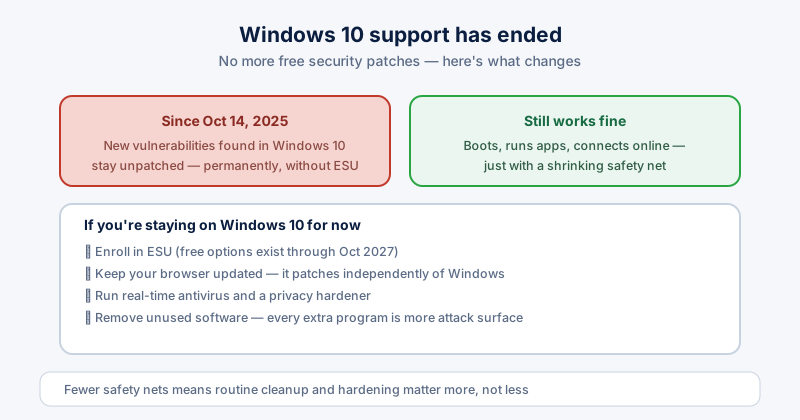
Windows 10 support officially ended on October 14, 2025. If your PC is still running it — and hundreds of millions of PCs still are — nothing broke overnight, but the ground under it has shifted: new security vulnerabilities discovered in Windows 10 from now on stay unpatched, permanently, unless you're enrolled in Extended Security Updates. Here's what that actually means and what to do about it.
What "end of support" actually means
Your PC still boots, runs your apps, and connects to the internet exactly as before. What's gone is Microsoft fixing newly discovered security holes. Every operating system has vulnerabilities researchers and attackers keep finding — Windows 10 will keep accumulating them with no one patching them, which is a very different risk profile than it had a year ago.
Should you pay for Extended Security Updates?
Microsoft's consumer ESU program covers security patches through October 2027, and two of the three enrollment paths are free — syncing your settings via Windows Backup, or redeeming 1,000 Microsoft Rewards points, alongside a $30 one-time option that covers up to 10 devices on one account. We cover exactly which option makes sense in our full ESU breakdown.
If you're staying on Windows 10 for now, harden it
- Enroll in ESU using one of the free options — there's little reason not to
- Keep your browser updated — Chrome, Edge, and Firefox all patch independently of Windows and remain a major line of defense
- Run real-time antivirus and a privacy hardener rather than relying on Windows Defender definitions alone getting less attention over time
- Remove software you don't use — every installed program is more surface area for something to go wrong, and that matters more without OS-level patching behind it
Clean up what you don't need
An unsupported OS is the wrong place to keep old browser extensions, unused apps, and years of accumulated junk sitting around. None of that gets safer with age, and less installed software genuinely means less that can be exploited. Regular cleanup isn't just about disk space here — it's shrinking the attack surface on a machine that has fewer safety nets than it used to.
Consider the exit ramps
ESU buys time, not a permanent fix. If your hardware supports it, upgrading to Windows 11 removes the problem entirely — see our guide on upgrading without losing anything. If it doesn't, our guide on the Windows 11 TPM 2.0 requirement covers what's actually blocking you and whether it's fixable.
ETA System Doctor's privacy hardener and malware scanning tools become more useful, not less, on a PC running past its official support date — the fewer safety nets Windows itself provides, the more the rest of your setup needs to pull its weight.